The same character in every shot
Most image generators give you a new face whenever the prompt changes. In OmniChar the character is a .char file the model reads on every take, so the same person comes back across scenes, models and video, and each take gets a score for how well it held.
Below: six prompts and two reference photos on FLUX.2 Klein 4B Base. Open a shot to read its prompt.
One file, a still and a clip
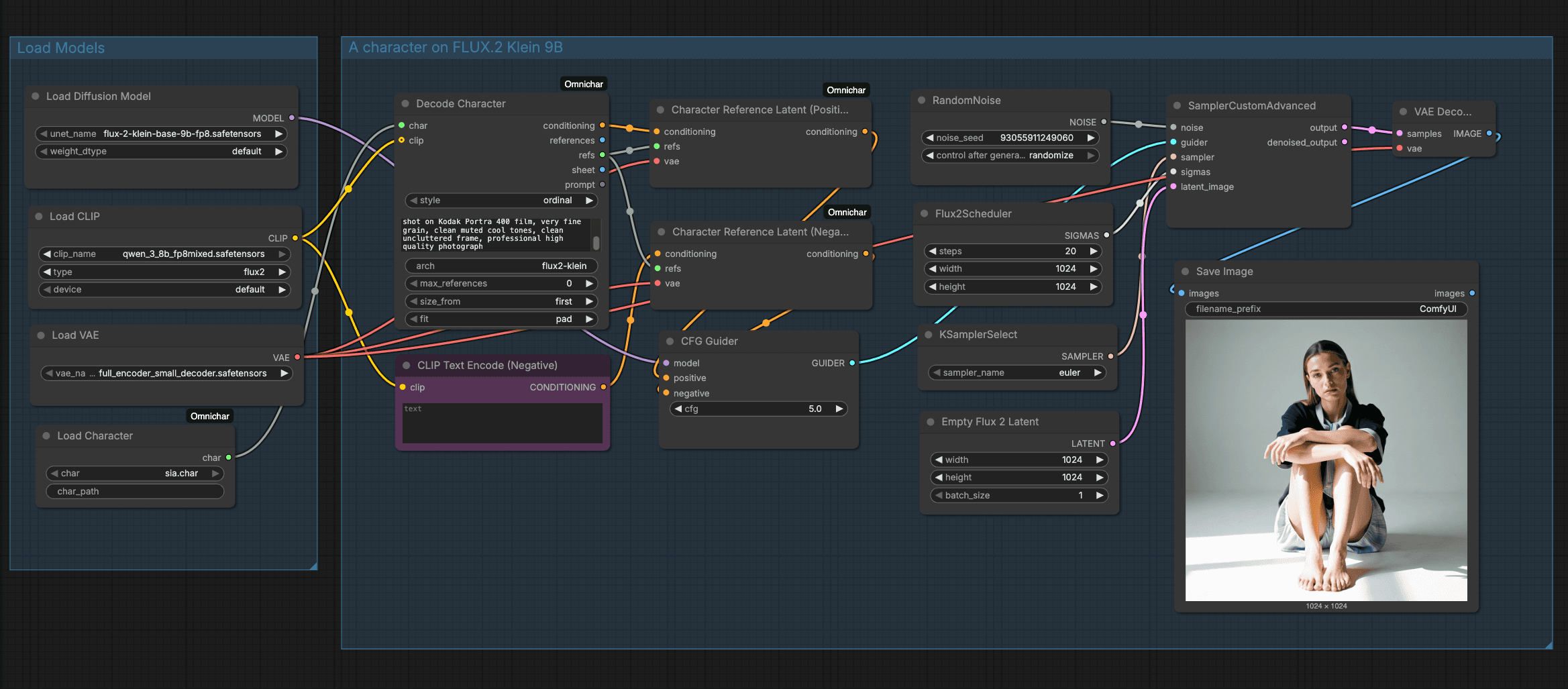
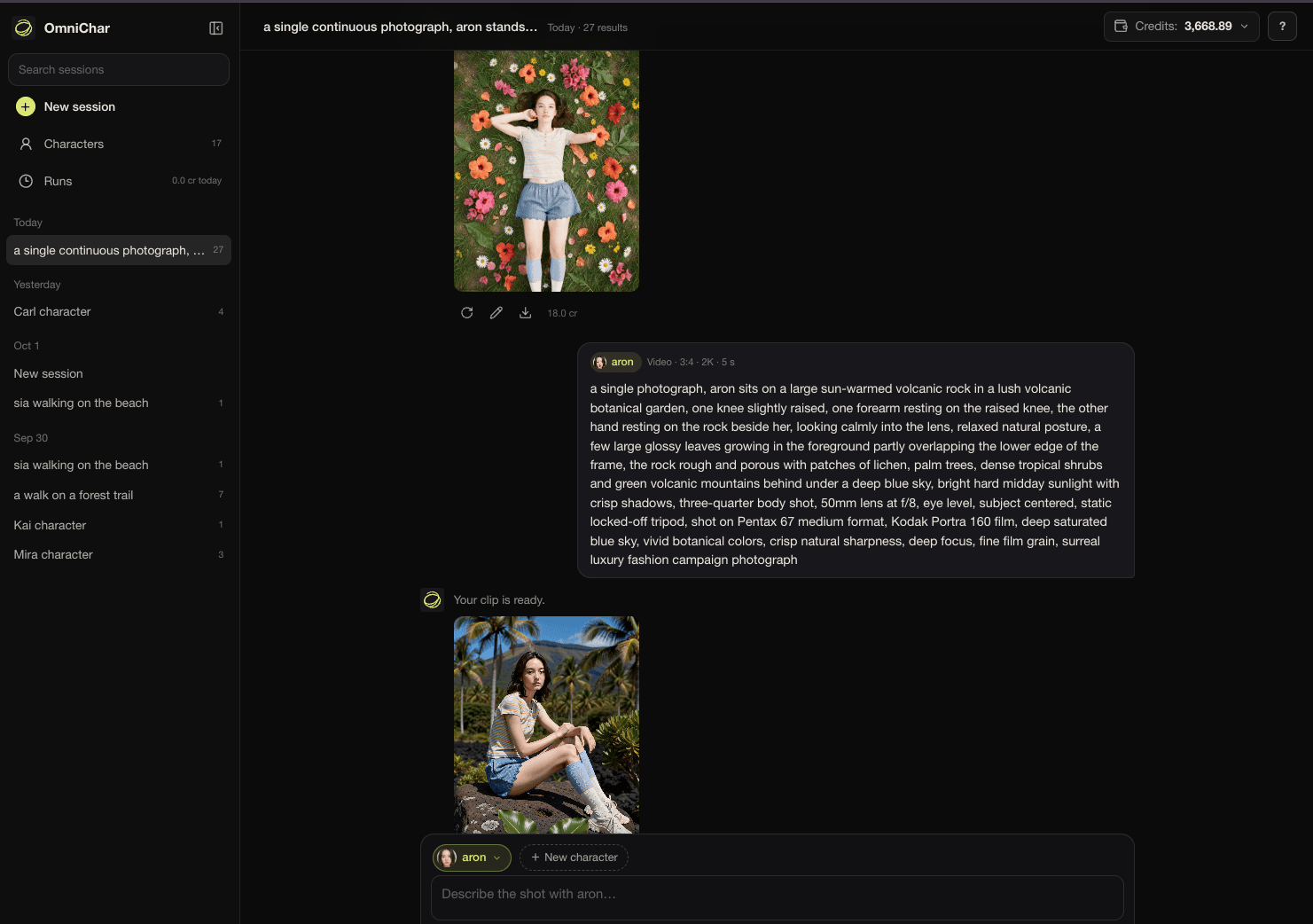
sia.char loaded in ComfyUI twice: once into FLUX.2 Klein 9B for a still, once into MiniMax H3 for video. Same face, same outfit, two models. Below it, aron in OmniChar Cloud.
Why faces drift, and what holds them
- 01
A prompt describes a person. Each seed draws a new one to fit the words.
The model reads the reference photos on every render. FLUX.2 takes them as extra tokens, so composition stays free while the face, hair and build come from the photos.
- 02
Images attached by hand can arrive in a different order, and then a prompt that says “image 2” points at the wrong one.
The order is stored in the file, face first. Cloud, Studio and ComfyUI hand the model the same sequence every time.
- 03
Krea 2 and the MiniMax H3 nodes other than Reference to Video have no way to take reference images.
Train a LoRA once from the same photos. It goes into the same .char, so one file covers both kinds of model.
Every take gets a number out of 100
Drift shows up as a number on the take you just rendered, so you catch it before it reaches shot three.
In OmniChar Cloud, above 70 reads as Strong, 50-70 as Fair and below 50 as a different person. Those bands are provisional and say so on every card, so compare two takes of one character against each other rather than reading one number alone.
How scoring works →- Face
- Matched against your references with SFace.
- Subject
- The whole person, build and pose, with DINOv2.
- Wardrobe
- Reported beside the score, never inside it, because outfits change on purpose.
- Video
- The median across frames, plus the lowest frame and the second it happened.
Other ways to keep a character the same
Where it does not hold yet
- Scenes with several people are not solved. A character's face spreads onto everyone else in frame, and the score will not catch it: it finds one match and reports success. Keep characters to single-subject shots.
- Face similarity is not identity. A close lookalike scores well; an identical twin would pass. The score compares takes, it does not assert who someone is.
- References cost render time. Five at 1024px roughly sextuple the tokens per denoising step, and attention does not scale linearly.
- A reference set has no strength dial. FLUX.2 conditions on the references for the whole denoise, so if a character overpowers a scene your levers are reference count and prompt. A trained adapter does have one, set when it is attached.
- One reference set, one person. A reference that is not clearly the same face is flagged when the character is built, because identity is matched against the closest reference rather than an average.
- Training a character LoRA on two or three photos memorises them. The adapter starts returning the training frames instead of the person in them, so spread the references across framing and lighting and stop at roughly a hundred steps per image.
- A character carries a payload per model, not for every model. FLUX.2 reads references, Krea 2 takes a trained adapter, and a model with neither cannot apply one at all.
Questions
How do I keep the same character across AI images?
Build a character from reference photos once. OmniChar saves it as a .char file, and the model reads those references on every render, so you write a new prompt per shot without re-attaching images or describing the face again.
Does it work for video?
Yes, on MiniMax H3. Reference to Video reads the character's references directly, and the other H3 nodes use a LoRA trained from the same photos. A character can also carry about 30 seconds of voice for H3.
What does the continuity score measure?
How closely a take matches the character, out of 100. It blends a face match against your references with a whole-subject match, and falls back to the subject alone when no face is visible. It measures identity, not image quality.
Can I use the same character on two models?
Yes. FLUX.2 reads the references and Krea 2 takes a LoRA trained from the same photos, and both live in one .char. The sia example on this page is one file rendered on FLUX.2 Klein 9B and MiniMax H3.